Utility Bill Check Online in Pakistan before the due date
Utility Bill Check Online in Pakistan before the due date But sometimes your electricity bill does not arrive on time, you lose your gas bill, or you simply want to check the amount before the due date. The good news is that you can check most utility bills online without visiting an office.
With an online utility bill check, you can view your latest bill, check the due date, download a duplicate copy, and keep track of your monthly expenses. In this guide, you’ll learn how to check electricity, gas, water, and PTCL bills online in Pakistan. We’ll also explain where to find your reference number and what to do if your bill is not showing.
Check Your Utility Bill Online in Pakistan
You can check your utility bill online by visiting your service provider’s official website or app. You usually need a reference number, consumer number, or account number printed on an old bill.
Electricity Bill Check Online in Pakistan
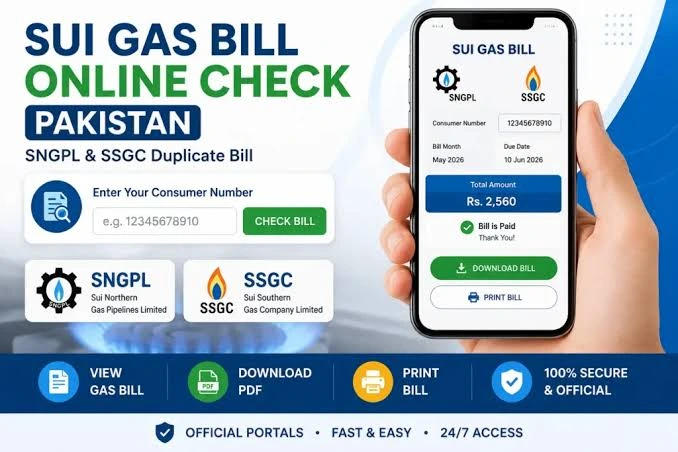
Electricity bills are among the most commonly checked utility bills in Pakistan. Whether you live in Lahore, Karachi, Islamabad, Multan, Faisalabad, or another city, you can usually view your electricity bill online. For most government-owned electricity distribution companies, you can use the Power Information Technology Company (PITC) portal. Your reference number is usually printed near the top of your previous electricity bill.
top of your previous electricity bill
| Electricity Company | Main Service Areas |
|---|---|
| LESCO | Lahore and nearby areas |
| MEPCO | Multan and South Punjab |
| IESCO | Islamabad and Rawalpindi |
| FESCO | Faisalabad and nearby areas |
| GEPCO | Gujranwala and Sialkot |
| PESCO | Peshawar and parts of Khyber Pakhtunkhwa |
| HESCO | Hyderabad and parts of Sindh |
| SEPCO | Sukkur and nearby areas |
| QESCO | Quetta and Balochistan |
| TESCO | Tribal districts of Khyber Pakhtunkhwa |
| HAZECO | Hazara region |
| K-Electric | Karachi and surrounding areas |
Gas Bill Check Online in Pakistan
Visit the official SNGPL website.
Find the online bill or consumer services section.
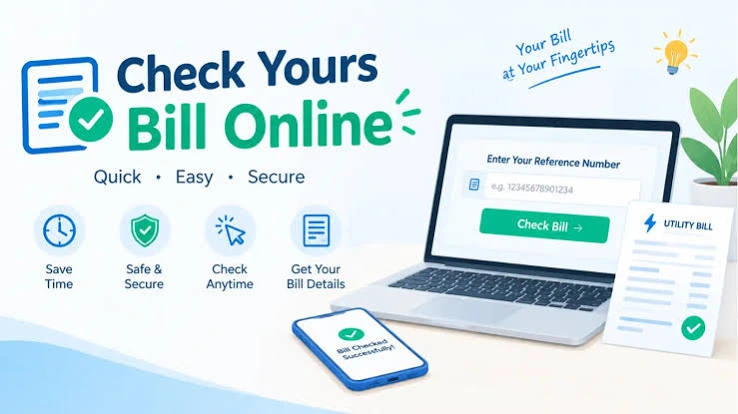
Enter your 11-digit consumer number.
Submit the required information.
View your latest gas bill.
Download or print a copy.
Visit your city’s official water authority website.
Open the online bill or customer services section.
Enter your account or consumer number.
Submit the information.
Check your bill amount and due date.
Download or print the available bill.
Please replace these placeholders Open the official SSGC website.
Find the View Bill section.
Enter your customer number.
Submit the details.
View your latest gas bill.
Save or print the duplicate copy.with your real contact information before publishing this page. Do not display an email address or contact channel that you do not actively manage.
WASA Lahore
WASA Faisalabad
WASA Rawalpindi
WASA Multan
Karachi Water and Sewerage Corporation (KW&SC)
Contact Us Utility Bill Checking and Feedback
We are interested in relevOpen your utility provider’s official website.
Select the duplicate bill option.
Enter your reference, consumer, or account number.ant opportunities that offer genuine value to our audience. However, submitting an inquiry does not guarantee that we will publish sponsored content, accept an advertisement, or enter into a business agreement.
Sometimes a bill gets lost, damaged, or never reaches your home. In this situation, you can look for a duplicate bill online.
A duplicate bill is an electronic copy of your original bill. It helps you check the amount, billing details, and payment deadline.
If you cannot download the bill directly, use your browser’s print option and select “Save as PDF” if available.
Remember: A duplicate bill is not proof of payment. Keep your bank, mobile wallet, or payment receipt as confirmation.
View the available bill.
Select the download or print option.
Contact Us Utility Bill Checking and Feedback
| Utility Provider | Number Usually Required |
|---|---|
| LESCO | 14-digit reference number or supported customer ID |
| MEPCO | 14-digit reference number |
| IESCO | 14-digit reference number |
| FESCO | 14-digit reference number |
| GEPCO | 14-digit reference number |
| PESCO | 14-digit reference number |
| K-Electric | 13-digit account number |
| SNGPL | 11-digit consumer number |
| SSGC | 10-digit customer number |
| Water authorities | Account or consumer number |
| PTCL | Landline or account details |
Pay Your Utility Bills Online in Pakistan
Mobile banking apps
Internet banking
Easypaisa
JazzCash
Bank ATMs
Bank branches
Authorized payment centers
Make sure the bill amount is correct.
Use your bank’s official app or a trusted payment service.
Never share your PIN, password, or OTP with anyone.
Save your payment receipt.
Check the payment status before trying again.
After checking your bill, you can pay it through several available payment methods.
If a payment is deducted from your account but the bill still shows unpaid, do not pay again immediately. First, check your transaction history and contact your bank or utility provider.
Reduce Your Monthly Electricity Gas and Water Bills
FAQ’s
Conclusion:
Checking your utility bill online in Pakistan can save time and make monthly bill payments easier. Whether you need an electricity, gas, water, or PTCL bill, you can use your provider’s online services to view the latest available bill and download a duplicate copy.
Keep your reference number or account details safe, check your bills before the due date, and always use official payment channels.
A little attention every month can help you avoid late payments and manage your household expenses more easily.