HESCO Online Bill Check and Download Duplicate Bill
Utility Bill Check and Download Duplicate Bill HESCO electricity bill online? You don’t need to wait for a printed bill to arrive at your home. With the online HESCO bill-checking facility, you can view your latest available electricity bill, check the payment due date, and download a duplicate copy using your mobile phone or computer.
HESCO stands for Hyderabad Electric Supply Company. It distributes electricity in Hyderabad and several other areas of Sindh. The company serves residential, commercial, agricultural, and industrial customers.
In this guide, you will learn how to check your HESCO bill online, download a duplicate copy, find your reference number, understand your monthly charges, and solve common billing problems.
Check Your HESCO Bill Online
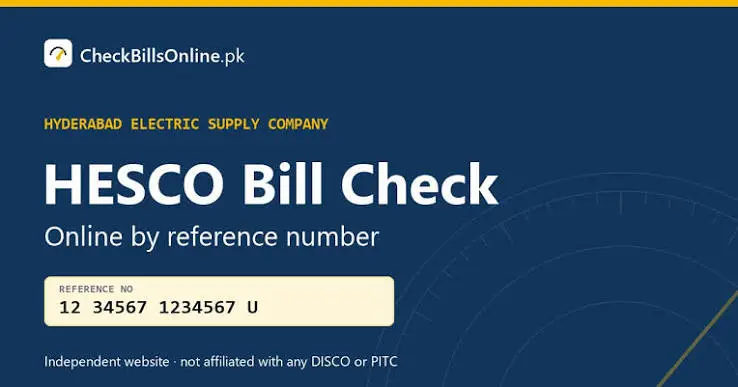
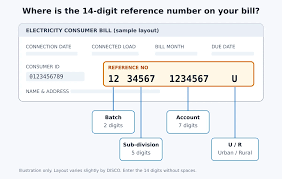
Checking your HESCO electricity bill online is simple. You generally need your 14-digit reference number or a supported Customer ID. Once your bill appears, check the customer name and address to confirm that it belongs to your connection.
- Visit the official HESCO bill portal: https://bill.pitc.com.pk/hescobill
- Select the reference number option.
- Enter your 14-digit reference number.
- Alternatively, select Customer ID if the portal offers that option.
- Complete any verification requested.
- Click the submit or search button.
- View your latest available HESCO electricity bill.
Information Can You Check on Your HESCO Bill
This section includes your name, address, reference number, and connection details.
The meter number identifies the electricity meter installed at your property.
These readings help calculate the amount of electricity consumed during the billing period.
This section displays charges calculated according to your applicable electricity tariff and consumption.
Check Your HESCO Bill Amount and Due Date
You can find your total payable amount and payment deadline by opening your latest available HESCO bill online.
Look for the payment details section. It normally displays the amount payable and the last date for payment.
Always check the latest available bill before paying. An older bill may not include recent adjustments or outstanding amounts.
Some bills may also show a different payable amount after the due date because of a late payment surcharge.
My HESCO Bill Not Showing Online
Incorrect Reference Number: Check all 14 digits on your previous bill and enter them again.
New Bill Not Uploaded: Your latest bill may not have been added to the online system yet. Wait and try again later.
Temporary Website Problem: The online portal may be experiencing technical problems or maintenance.
Wrong Search Option: If you are using a Customer ID, make sure you select the correct search option.
FAQ’s
Conclusion:
HESCO online bill checking makes it easier for customers in Hyderabad and surrounding areas to manage their monthly electricity payments.
You can view your latest available bill, check electricity consumption, find your payment deadline, and download a duplicate copy without visiting an office.
Keep your reference number safe, review your monthly meter readings, and use trusted payment channels. Regular bill checking can help you avoid payment delays and understand your household electricity expenses.